Sitemap and robots.txt: what they are and how to set them up

Google reaches your pages in two ways: by following links and by reading lists. The sitemap is that list: it tells Google which pages exist. robots.txt is the gate: it tells Google which parts of the site it may enter.
They're two small files, and your platform usually creates them for you. But when either one is wrong, it can keep important pages out of Google without anyone noticing.
What a sitemap is
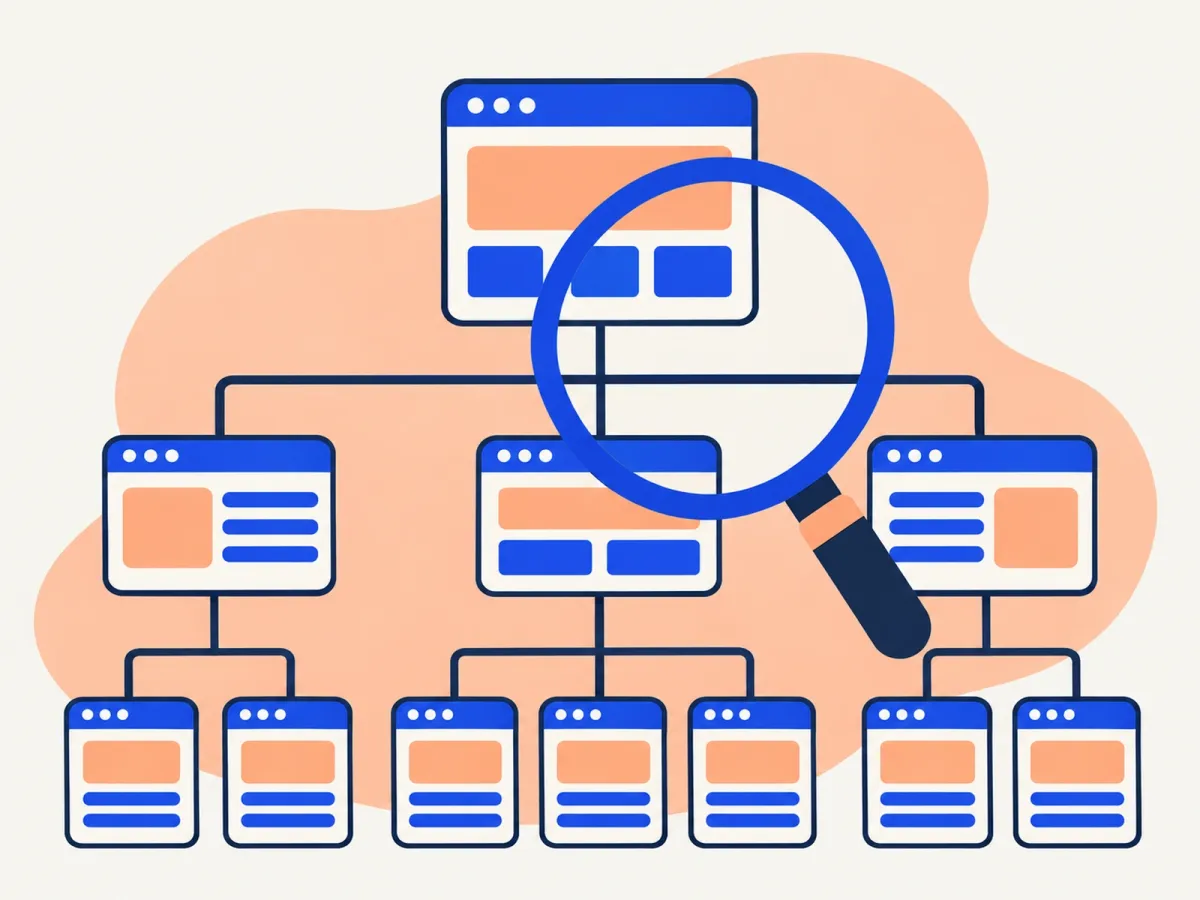
An XML sitemap is a file listing the pages you want Google to find. It usually lives at yourdomain.com/sitemap.xml or, on WordPress with an SEO plugin, at yourdomain.com/sitemap_index.xml.
Each page appears with its address and sometimes its last-modified date:
<url>
  <loc>https://yourdomain.com/services/</loc>
  <lastmod>2026-11-10</lastmod>
</url>
What matters:
- Only pages you want on Google: returning 200, not redirected, not noindexed, with a canonical pointing to themselves.
- Final addresses:
https, with or withoutwwwto match your site, the same ones your menu links to. - A real modified date. Google uses it when it's reliable. If every page claims it changed today, Google stops trusting it.
- Priority and change frequency (
priorityandchangefreq) do nothing: Google ignores them. - Limits: 50,000 URLs or 50 MB per file. Large sites use an index file that groups several sitemaps.
A sitemap doesn't force Google to index anything. It's a hint that helps Google discover pages, especially new ones and ones with few internal links.
What robots.txt is

robots.txt is a text file at the root of your site (yourdomain.com/robots.txt) with instructions for crawlers. A typical one looks like this:
User-agent: *
Disallow: /wp-admin/
Allow: /wp-admin/admin-ajax.php

Sitemap: https://yourdomain.com/sitemap_index.xml
- User-agent says which crawler the rule applies to (
*means all). - Disallow blocks a folder or address.
- Allow makes an exception inside a blocked area.
- Sitemap says where the sitemap is, so any search engine can find it.
The most misunderstood part: robots.txt blocks crawling, not indexing. If a blocked page has links pointing to it, Google can still show it, just without a description. To keep a page out of Google, use noindex and don't block it in robots.txt: if you block it, Google never sees the noindex.
How to check them in five minutes
- Open
yourdomain.com/robots.txtin your browser. Look for a loneDisallow: /line: it blocks the whole site. - Open the sitemap and check the addresses are right (https, www or not, no staging pages).
- In Google Search Console, go to Sitemaps, paste the sitemap address and submit it. Check the status says "Success" and how many pages it found.
- Under Settings → robots.txt report, check that Google read it without errors.
- Do the same in Bing Webmaster Tools: Bing also feeds some AI assistants.
robots.txt and AI crawlers
robots.txt is also where you decide whether AI crawlers can read your site (for example OpenAI's GPTBot or Google's Google-Extended). Blocking them keeps them from using your content, but it can also mean your business shows up less in those assistants' answers. For most businesses that want customers, letting them in makes sense. We explain it in SEO and AI search.
Common mistakes
- A leftover
Disallow: /after launching a new site. It's the costliest mistake: the whole site drops out of Google. - Blocking CSS or JavaScript. Google needs those files to see the page the way a visitor does.
- Blocking a noindexed page in robots.txt. Google can't read the noindex.
- A sitemap full of redirected, broken or noindexed pages. It makes Google trust the whole sitemap less.
- A stale sitemap that doesn't update when you publish new pages.
- Two different sitemaps, say one from the theme and one from a plugin, with different addresses.
If Google isn't showing some of your pages, also see why Google isn't indexing my pages.
Frequently asked questions
Does a small site need a sitemap?
It isn't required: if every page is linked from the menu, Google finds them anyway. But it costs nothing and helps new pages get discovered faster.
Do I have to resubmit the sitemap every time I publish?
No. Submit it once in Search Console. Google rereads it on its own.
Can I hide private pages with robots.txt?
No. robots.txt is public and anyone can read it. Use a password for private pages, and noindex for pages that shouldn't appear on Google.
How do I know if Google has trouble with my robots.txt?
Search Console flags it in the robots.txt report and in Page indexing, under the reason "Blocked by robots.txt".
Want us to check how Google crawls your site?
In our SEO audit we review your sitemap, robots.txt, indexing and redirects, and hand you a prioritized plan. See our prices or get in touch.
Rather talk first? Book a free video call or price your project.
Keep reading
 Online Marketing · November 19, 2026Google updates: what to do if your traffic dropsYour Google traffic dropped suddenly. How to tell if an update caused it, how to find which pages lost out, and what to do to recover, step by step.
 Online Marketing · November 15, 2026Duplicate content: what it is and how to fix it with canonical tagsWhat duplicate content is, why it confuses Google, how to find it in Search Console, and when to use a canonical tag, a 301 redirect or noindex.
 Online Marketing · November 15, 2026How to connect Google Search Console to Google SheetsThree ways to get Search Console data into Google Sheets: export it, use an add-on or use the API. Plus the analyses worth running once it's there.